
Hands-on I.T. Training Photoshop, Illustrator, Corel Draw, Flash

Ad Information
Ad Description
|
|
Gain hands-on experience with industry-standard, cutting-edge Digital Media technology. Learn the latest in graphic design, video editing, web development and computer networking through our one-of a-kind training methodology. |


|
HERE ARE SOME WEBSITES DONE BY MY STUDENTS |
GRAPHIC DESIGN COURSES OFFERED:

ADOBE PHOTOSHOP CS3/CS5
Course Outline
Photoshops Interface
* Start Page
* Menu bar
* Options Palette
* Tool Box/Tools Palette
* Palettes well
* Palette groups
* Default Workspace
* Managing your Workspace
* Saving your workspace
* Menus and Keyboard shortcuts
* Tools and Tool Presets
* Understanding Preferences
* Photoshops Help Menu
Navigation
* Document Window
* Navigator Palette
* Panning and Zooming with the Navigator Palette
* Info Palette
* Screen Modes
* Changing the Matte Color for Presentation Mode
* Synchronized Screen mode switching
* Managing Multiple Document Windows
* Synchronized Zooming and Panning
Digital Image Essentials
* File Formats Essential
* Resize Images
* Resample Images
* Knowing what Resolution to use
* Resize Image Wizard
* Accurate Print Size Preview
* Image Cropping
* Creating Frames and Borders
Camera Raw
* Understanding Camera Raw
* Editing a Camera Raw File
* Editing Multiple Camera Raw Files
* Undoing Changes in Camera Raw
* Applying Changes to multiple images
* Non-Destructive Cropping
History and Actions
* History Palette
* Creating Snapshots
* Painting with History States and Snapshots
* Creating a History Log
* Actions Palette
* Creating Actions
* Applying Actions
Learning Selections
* Marquee Selection Tools
* Lasso Selection Tools
* Magic Wand Tool
* Quick Selection Tool
* Saving and Reusing Selections
* Cutting, Moving, and Duplicating Selected objects
Image Transformations
* Rotating and Flipping images
* Straightening Crooked Images
* Automatic Cropping and Straightening of images
* Perspective Cropping using the Crop Tool
* Scaling, Skewing and Rotating with Free Transform
* Image Warping
Color and Swatches Palette
* Using the Color Picker
* Understanding Color Palette
* Understanding Swatches
* Saving Custom Colors as Swatches
* Sampling Colors with the Eyedropper Tool
Painting and Brushes
* Brush Tool
* Color Replacement Brush Tool
* Dodge Tool
* Burn Tool
* Sponge Tool
* Burn Tool
* Sharpen Tool
* Smudge Tool
Image Extraction
* Eraser Tool
* Background Eraser Tool
* Magic Eraser Tool
* Extract Filter (Photoshop CS3 Only)
Image Tonal Correction
* The Disadvantages of Brightness/Contrast
* Using the Histogram Palette
* Using Levels to improve tonality
* Using Curves to improve tonality
* Using Shadow/Highlight
* Auto Contrast
* Auto Levels
* Auto Color
Basic Color Correction
* Removing a Color Cast with Auto Color
* Adjusting the Auto Color Settings
* Removing a Color Cast with the Levels Eyedroppers
* Using Color Balance
* Using Desaturation
* Using Hue/Saturation
* Using Matching Color
* Adjusting Exposure
* Using Variations
Layers
* About Layers
* The Background Layer
* Adding and Deleting Layers
* Linking and Merging Layers
* Duplicating Layers
* Converting a background layer into a normal layer
* Layers Management
* Changing the Opacity of a Layer
* Using a Clipping Mask
Layer Masks
* About Layer Mask
* The Layer Mask and brush
* The Layer Mask and selection tools
* Layer Masking Tricks and Tips
Adjustment Layers
* About Adjustment Layer
* Levels Adjustment Layer
* Curves Adjustment Layer
* Shadows and Highlights Adjustment Layer
* Masking the Effects of an Adjustment Layer
* Digital Photo Filters Adjustment Layer
* Color to Grayscale with Channel Mixer
* Using Multiple Adjustment Layers
Blending Modes
* About Blending Modes
* Experimenting with Blending Modes
* Photomerge
Image Retouching
* Fixing Red Eye problem
* Removing Unwanted Objects
* Removing Blemishes and Wrinkles with the Healing Brush
* Using the Spot Healing Brush and Patch Tools
* Whitening Teeth using various techniques
* Smoothening Rough Surfaces
* Repairing Discolored and Noisy Colors
* Push and Pull with Liquify
Image Restoration
* Restoring old tarnished photos
Filters
* Filter Gallery (Artistic, Brush Strokes, Distort, Sketch, Stylize, Texture)
* Blur (Gaussian, Surface, Lens Blurs, Smart, Radial, Etc.)
* Noise
* Pixelate
* Render (Lens Flare, Lighting Effects)
* Sharpen (Smart Sharpen, Unsharpen Mask)
Layer Styles
* Creating Drop Shadows
* Using Inner Shadow to Create a Carve Effect
* Outer Shadow
* Inner Glow
* Bevel and Emboss
* Satin
* Color Overlay
* Gradient Overlay
* Pattern Overlay
* Stroke
Vanishing Point
* Perspective Cloning
Vector Shapes and Tools
* Shape Tools
* Creating Multiple Shapes on a Single Shape Layer
* Creating Custom Shapes
* Using the Pen Tools
* Path Selection Tools
Type Essentials
* Character Typing
* Paragraph Typing
* Spell checker
* Typing on a Path
* Typing in Vector Shapes
* Warping Text
Photoshop Tricks
* Making a static image appear moving
* Turn a Photo into a Sketch
* High-Contrast Sketch
* Photo Mosaic
Printing Images
* Creating Picture Package
* Creating a Contact Sheet
* Creating a Web Photo Gallery
Web Layouting
* How to layout a webpage
* Cutting images using the Slice Tool
* Naming images using the Slice Select Tool
* Saving your layout
* Generating HTML Pages
NEW TO ADOBE PHOTOSHOP CS5
- Improved Image Extraction using Refine Edges - Smart Radius
- Elimination Color contamination/Fringes in Image Extraction using Refine Edges - Decontaminate Color
- Merge to HDR Pro - Highly improved HDR Effect. Makes use of multiple Photo Exposures
- HDR Toning - Let's you create an HDR effect without having to use multiple exposures
- Puppet Warping - Let's you change or move object orientation similar to puppet animation in Flash
- Content Aware Fill - A quicker and smarter way of erasing unwanted object. It's like Magic!
- Spot Healing Brush - Huge adjustment with healing brush! It's now usable compared to older Photoshop releases where you completely ignore this tool
- Mixer Brush - A great new Brush tool that easily helps you turn your photo into a painting like work of art!

COREL DRAW X4
Course Outline
Chapter 1 Introduction
Chapter 2 Understanding the Interface
Chapter 3 Customization the Workspace
Chapter 4 Opening and Saving vector files
Chapter 5 Pages and Layouts
Chapter 6 Creating Objects
Chapter 7 Drawing Tools
Chapter 8 Objects Transformation
Chapter 9 Design Time Savers
Chapter 10 Working with Text
Chapter 11 Color Outlines and Fills
Chapter 12 Managing Layers through the Object Manager
Chapter 13 Different Viewing Modes
Chapter 14 Find and Replace tool
Chapter 15 Working with Bitmaps
Chapter 16 Shaping Objects
Chapter 17 Interactive Tools(Blend, Countour, Distortion, Shadow, 3D, Tranparency)
Chapter 18 More Special Effects
Chapter 19 Importing, Publishing, Exporting
Chapter 20 Printing Basics

ADOBE FLASH PROFESSIONAL CS3
Course Outline
Chapter 1 Introduction to Flash Animation
Chapter 2 Disecting The Flash’s Interface
Chapter 3 Customizing Flash’s Workspace
Chapter 4 Using the Drawing and Color Tools
Chapter 5 Animation 101 (Frame by Frame Animation)
Chapter 6 Shape Tweening
Chapter 7 Symbols and Instances
Chapter 8 Filters and Blend Modes
Chapter 9 Motion Tweening
Chapter 10 Timeline Effects
Chapter 11 Working with Bitmaps
Chapter 12 Creating Buttons
Chapter 13 Movie Clips
Chapter 14 ActionScript Basics and Behaviors
Chapter 15 Working with Text
Chapter 16 Integrating Sound
Chapter 17 Components and Forms
Chapter 18 Video in Flash
Chapter 19 Publishing and Exporting your Animation
Chapter 20 Flash Video Player
Chapter 21 Integration with other Web Development Applications


TRAINING VENUE
Rm 202 Raman Condominium 1130,
Don Chino Roces Ave (Pasong Tamo)
Makati City 1231


ABOUT THE TRAINER
Henry N. Ong II
- DLSU-College of Saint Benilde (BSBA-Computer Application)
- DLSU (Masters in Business Administration)
- CISCO CCNA - Oasis Computer Institute, Abu Dhabi
- Windows 2003 Server - Oasis Computer Institute, Abu Dhabi
- Windows 2000 Server Oasis Computer Institute, Abu Dhabi
- Microsoft SQL Server - Informatics
- Microsoft SQL Programming - Informatics
PROFESSIONAL EXPERIENCE(S)
- Started Professional Web Development as early 1997
- 14 Years of extensive training experience (Have conducted trainings here and abroad)
- Inventive Media - Proprietor
- Asian Institute of Management (AIM) - Web Developer/I.T. Consultant
- Development Academy of the Philippines (DAP) - Resource Person/I.T. Trainer
- European Innovation, Technology, and Science Center Foundation (EITSC) - Resource Person/I.T. Trainer
- Alagad Party-List - I.T. Manager
- Best Ventures - I.T. Consultant
- PC Tech Support Organization - Vice President
- Adobe Systems Inc. - Beta Tester
- Joomla.org - Documentation Specialist
- Informatics, U.A.E. - Former I.T. Resource Person
- New Horizons, U.A.E. - Former I.T. Resource Person
- TOTAL S.A. - Oil and Gas - Former Jr. Network Engineer
- Project Consultant to many of the known Schools, Colleges, and I.T. Training Centers in and around Metro Manila.
- I.T. Consultant/Resource Person to several Government Agencies, LGUs and NGOs
- I.T. Trainer/Speaker - Have done numerous speaking engagements, seminars, trainings and corporate trainings for various Multinational Corporations, Companies, Banks, Call Centers and Government Agencies and schools both local and overseas.
RECENT ACTIVITIES

Audio-Visual Room, DAP Building


Development Academy of the Philippines, Department of Energy, Local government of Batangas,
Local government of Vigan City, etc
ALAGAD Party-List Website Launching
Bureau of Soil and Water Management Auditorium

The event was covered by NET25's Convergence

Giving Convergence some insights to what the site is all about
and its relevance to the marginalized sector

Slugging it out with the big boys!
The Alagad Party-List Website launching was a well attended event;
by influencial people from both the business and government sector
Carl Duisberg Association of the Philippines
Oxford Hotel, Burgos Street, Makati City
Joomla CMS 2 Days Corporate Training
Resource Person: Henry N. Ong II


Carl Duisberg Association of the Philippines
Oxford Hotel, Burgos Street, Makati City
Awarding of Certificates
De La Salle University
Taft, Manila
LEAP 2010
LASALLIAN ENRICHMENT ALTERNATIVE PROGRAM - JOOMLA Seminar


Contract Signing with Congressman Diogenes S. Osabel
for Alagad Party-List's Website


3F JMT Building, Pasig City
Resource Person: Henry N. Ong II

PC Tech's One Day Free Seminar
for Basic Computer Assembly and Installation,
CCTV (Surveillance Camera) and Digital Shirt Printing
in cooperation with Barangay Valenzuela, Makati City
CCTV Seminar Training conducted by Henry N. Ong II


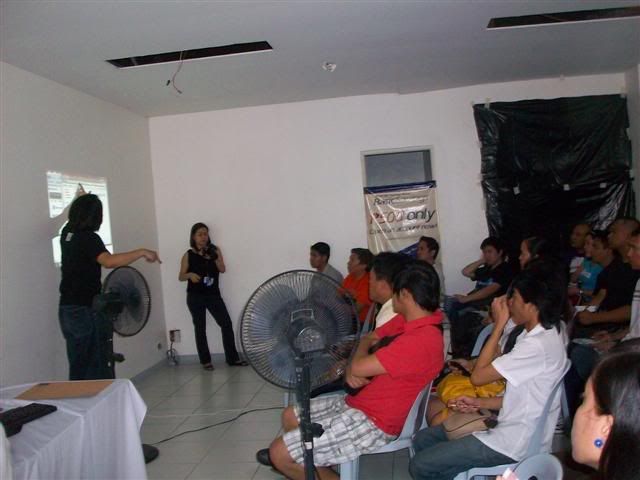
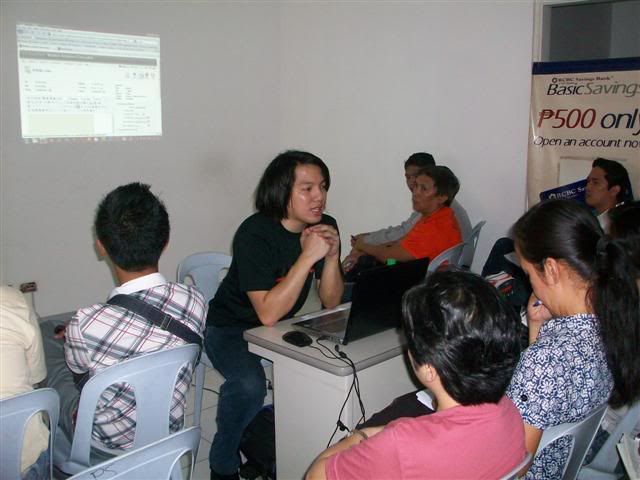
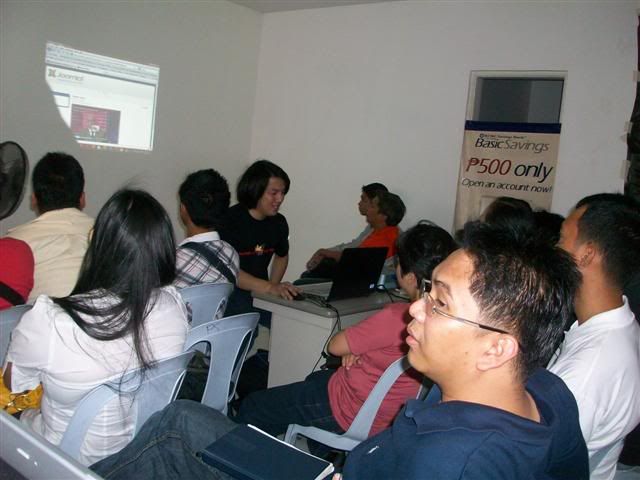
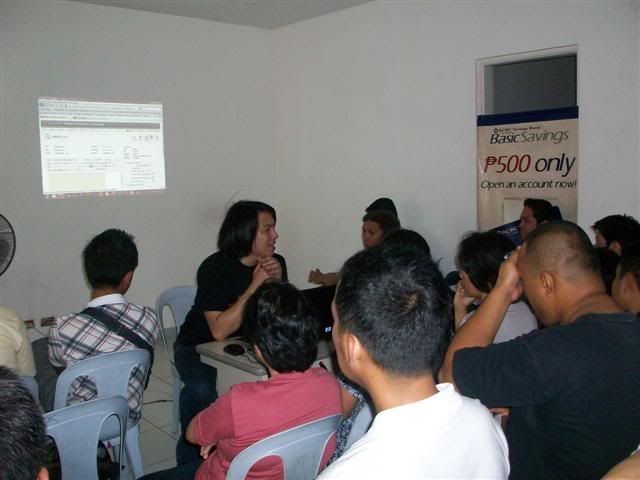
PC Tech's One Day Free Seminar
for Joomla CMS, Virus Prevention,
CCTV (Surveillance Camera) and Digital Shirt Printing
in cooperation with RCBC Saving Bank, Pasong Tamo Branch
Joomla CMS Training conducted by Henry N. Ong II
OneWebDay
September 22, 2009
SM Mall of Asia Music Hall
Learn more about OneWebDay Click Here
Guest Speaker: Henry N. Ong II (PC Tech Vice President)
Topic discussed: Open-Source
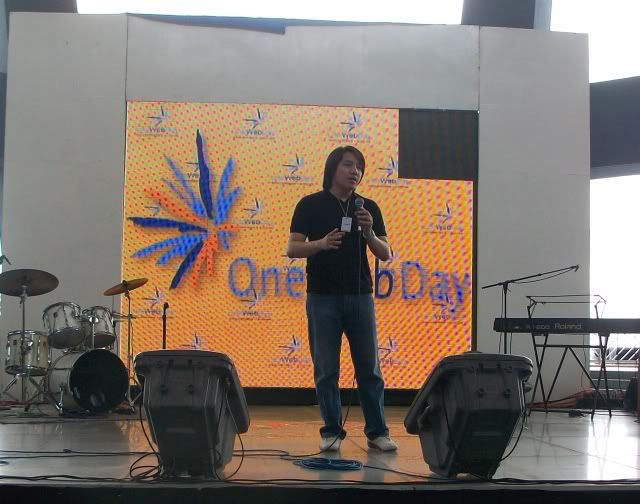

1 Day Free PC Repair and Troubleshooting Outreach during the OneWebDay event
EITSC Computer Literacy Training for Teachers conducted at the Rizal Technological University
Resource Person/Trainer: Henry N. Ong II


Rizal Technological University's Computer Laboratory donated by EITSC
Green-Jacobsen
Chatham House, Valero St., Makati City
Macromedia Flash Professional 8 Training
(Corporate In-house Training)
Trainer: Henry N. Ong II


Green-Jokobsen Staff
Working on the prepared exercises for Flash

OVER 400+ OF POSITIVE FEEDBACKS
www.TipidPC.com<click here for link>
www.Sulit.com.ph<click here for link>
CHAT WITH ME NOW!!!<click here for link>
Henry N. Ong II
MBA/CCNA
IT Consultant / IT Trainer

Raman Condominium 1130, Chino Roces Ave.
(Formerly Pasong Tamo Ave.) corner Vito Cruz extension.
Makati City1231 Philippines
Email: inventivemedia.ph@gmail.com
YM: pacific_webphone@yahoo.com
Tel/Fax: +63 2 6250543
Globe Mobile: +63 917 4064205
Sun Mobile: +63 932 6134856
Hong Kong Tel: +85 2 31795563

Compared Ad