
Corel Draw IT Training Basic to Advance Course for Graphic Design

Ad Information
Ad Description


|
HERE ARE SOME WEBSITES DONE BY MY STUDENTS |

What is COREL Draw
CorelDraw is a graphic design vector based software package available for the PC. CorelDraw enables users to create professional illustrations for newsletters, brochures, logos, decals, t-shirt design, tarpaulin and web graphics.
COREL DRAW X6
Course Outline
Any unauthorized duplication, copying, reproduction, publication and use of Inventive Media's course outline and other materials herewith without the consent, approval or permission of Inventive Media is punishable by law. To the other Computer Training Centers and IT Schools, please refrain from copying or imitating our personally authored course outline as a pattern to your course outlines
Introduction
- About CorelDraw?
- Understanding Bitmap and vector graphics
- Different File Types
- The Welcome Screen
- Workspace Tour and Overview
- Help Documentation
- General Settings and Customization
Starting your masterpieces
- Creating a new file
- Customizing a page
- Creating multiple pages
- Opening a file
- Saving a file
- Importing files
- Exporting Files
- Exporting to MS Word
Pages and Layouts
- page navigator
- Managing multiple pages
- Customizing your workspace
- Working with Guidelines and the Snap To options
Creating Objects
- Creating shapes
- Polygons, stars, and graph paper
- The Perfect Shapes Collection
- Lines and curves
- Node editing using the Shape Tool
Objects Transformation
- Selecting/deleting objects
- Modifying objects
- Arranging objects
- Working with multiple objects
- Converting objects
- Locking objects
Design Time Savers
- Cut, copy and paste
- Duplicating and cloning objects
- Using the Step and Repeat docker
- Undo/redo/repeat
- Working with symbols
Working with Artistic Text
- Working with the Text Tool to create Artistic Text
- Fitting text to a path
- The character formatting docker
- Spelling and Quickcorrect
Working with Paragraph Text
- Working with the Text Tool to create Paragraph Text
- The paragraph formatting docker
- Linking paragraph text frames
- Working with columns
- Additional paragraph features
Color Outlines and Fills
- Introducing color palettes
- Color filling options
- Color outline objects
- Using the Eyedropper and Paintbucket Tools
- Using the Smartfill Tool
Layers and the Object Manager
- Working with layers
- Layer properties
- Using the master layer
Viewing Your Work
- View modes
- Preview modes
- Using the View Manager
- Using the Zoom Tool
Find and Replace
- Find and replace objects
- Find and replace text
Bitmaps
- Applying effects to a bitmap
- Using the Image Adjustment Lab
- Cropping bitmaps
- Converting vector objects to bitmaps
Shaping Objects
- Shaping objects
- PowerClipping objects
- Adding envelopes
- Working the corners
The Interactive Tools Flyout
- Interactive Blend Tool
- Interactive Contour Tool
- Interactive Distortion Tool
- Interactive Drop Shadow Tool
- Interactive Extrude Tool
- Interactive Transparency Tool
- Interactive Fill Tool
More Special Effects
- Adding perspective
- Using the lens effect
- Adding bevels
Customizations
- Working Your workspace
- Customizing your toolbars and menus
- Customizing your color palettes
Printing
- Printing basics explained
- Print preview basics


TRAINING VENUE
Rm 202 Raman Condominium 1130,
Don Chino Roces Ave (Pasong Tamo)
Makati City 1231


ABOUT THE TRAINER
Henry N. Ong II
- DLSU-College of Saint Benilde (BSBA-Computer Application)
- DLSU (Masters in Business Administration)
- CISCO CCNA - Oasis Computer Institute, Abu Dhabi
- Windows 2003 Server - Oasis Computer Institute, Abu Dhabi
- Windows 2000 Server Oasis Computer Institute, Abu Dhabi
- Microsoft SQL Server - Informatics
- Microsoft SQL Programming - Informatics
PROFESSIONAL EXPERIENCE(S)
- Started Professional Web Development as early 1997
- 14 Years of extensive training experience (Have conducted trainings here and abroad)
- Inventive Media - Proprietor
- Asian Institute of Management (AIM) - Web Developer/I.T. Consultant
- Development Academy of the Philippines (DAP) - Resource Person/I.T. Trainer
- European Innovation, Technology, and Science Center Foundation (EITSC) - Resource Person/I.T. Trainer
- Alagad Party-List - I.T. Manager
- Best Ventures - I.T. Consultant
- PC Tech Support Organization - Vice President
- Adobe Systems Inc. - Beta Tester
- Joomla.org - Documentation Specialist
- Informatics, U.A.E. - Former I.T. Resource Person
- New Horizons, U.A.E. - Former I.T. Resource Person
- TOTAL S.A. - Oil and Gas - Former Jr. Network Engineer
- Project Consultant to many of the known Schools, Colleges, and I.T. Training Centers in and around Metro Manila.
- I.T. Consultant/Resource Person to several Government Agencies, LGUs and NGOs
- I.T. Trainer/Speaker - Have done numerous speaking engagements, seminars, trainings and corporate trainings for various Multinational Corporations, Companies, Banks, Call Centers and Government Agencies and schools both local and overseas.
RECENT ACTIVITIES

Audio-Visual Room, DAP Building


Development Academy of the Philippines, Department of Energy, Local government of Batangas,
Local government of Vigan City, etc
ALAGAD Party-List Website Launching
Bureau of Soil and Water Management Auditorium

The event was covered by NET25's Convergence

Giving Convergence some insights to what the site is all about
and its relevance to the marginalized sector

Slugging it out with the big boys!
The Alagad Party-List Website launching was a well attended event;
by influencial people from both the business and government sector
Carl Duisberg Association of the Philippines
Oxford Hotel, Burgos Street, Makati City
Joomla CMS 2 Days Corporate Training
Resource Person: Henry N. Ong II


Carl Duisberg Association of the Philippines
Oxford Hotel, Burgos Street, Makati City
Awarding of Certificates
De La Salle University
Taft, Manila
LEAP 2010
LASALLIAN ENRICHMENT ALTERNATIVE PROGRAM - JOOMLA Seminar


Contract Signing with Congressman Diogenes S. Osabel
for Alagad Party-List's Website


3F JMT Building, Pasig City
Resource Person: Henry N. Ong II

PC Tech's One Day Free Seminar
for Basic Computer Assembly and Installation,
CCTV (Surveillance Camera) and Digital Shirt Printing
in cooperation with Barangay Valenzuela, Makati City
CCTV Seminar Training conducted by Henry N. Ong II


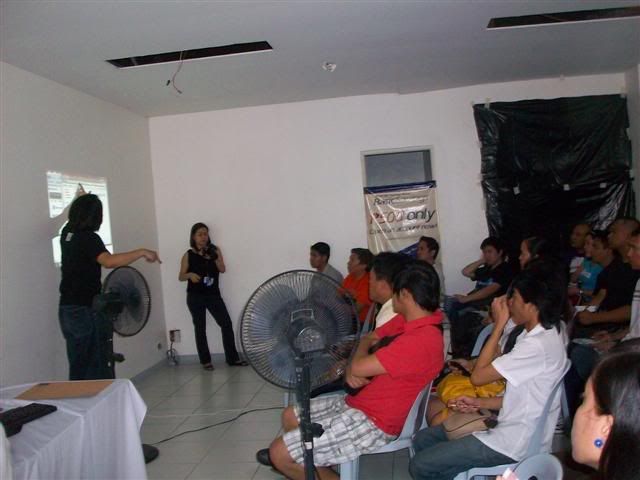
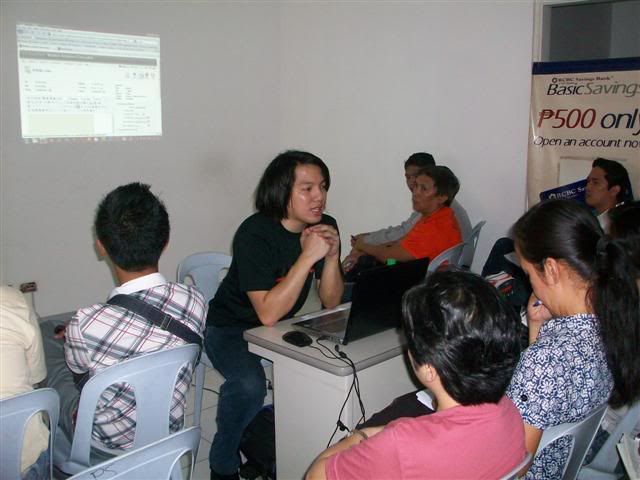
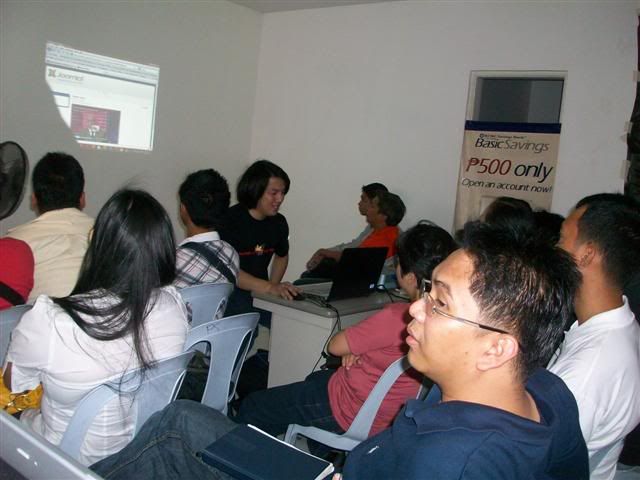
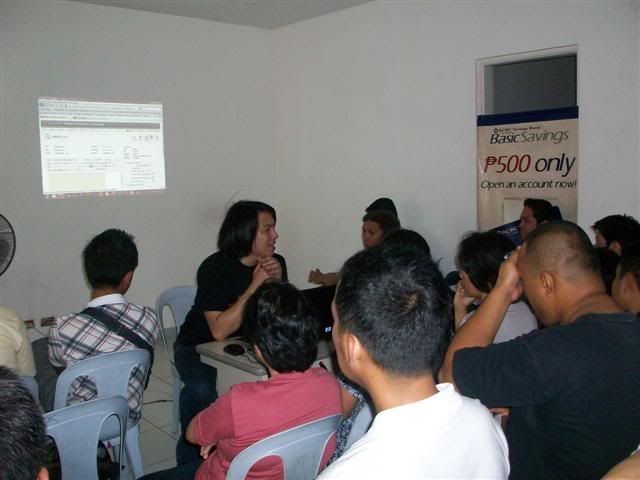
PC Tech's One Day Free Seminar
for Joomla CMS, Virus Prevention,
CCTV (Surveillance Camera) and Digital Shirt Printing
in cooperation with RCBC Saving Bank, Pasong Tamo Branch
Joomla CMS Training conducted by Henry N. Ong II
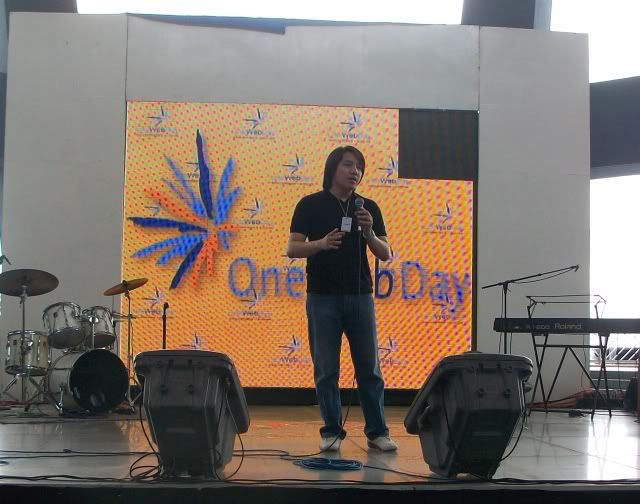
OneWebDay
September 22, 2009
SM Mall of Asia Music Hall
Learn more about OneWebDay Click Here
Guest Speaker: Henry N. Ong II (PC Tech Vice President)
Topic discussed: Open-Source

1 Day Free PC Repair and Troubleshooting Outreach during the OneWebDay event
EITSC Computer Literacy Training for Teachers conducted at the Rizal Technological University
Resource Person/Trainer: Henry N. Ong II


Rizal Technological University's Computer Laboratory donated by EITSC
Green-Jacobsen
Chatham House, Valero St., Makati City
Macromedia Flash Professional 8 Training
(Corporate In-house Training)
Trainer: Henry N. Ong II


Green-Jokobsen Staff
Working on the prepared exercises for Flash

OVER 400+ OF POSITIVE FEEDBACKS
www.TipidPC.com<click here for link>
www.Sulit.com.ph<click here for link>
CHAT WITH ME NOW!!!<click here for link>
Henry N. Ong II
MBA/CCNA
IT Consultant / IT Trainer

Raman Condominium 1130, Don Chino Roces Ave.
(formerly Pasong Tamo Ave.) corner
Pablo Ocampo Sr. Extension (formerly Vito Cruz Extension)
Makati City 1231 Philippines
Email: inventivemedia.ph@gmail.com
YM: pacific_webphone@yahoo.com
Tel/Fax: +63 2 6250543
Globe Mobile: +63 917 4064205
Sun Mobile: +63 932 6134856
Hong Kong Tel: +85 2 31795563

Compared Ad